
Top 5 ASO Tips for Using Custom Store Listings on Google Play

Custom Store Listings on Google Play allow you to provide targeted information about your app or game to specific audiences. You can customize who sees them, such as users from a particular region or those who haven’t engaged with your product in a while. In this article, I’ll explain how to leverage this feature uniquely to test ASO hypotheses and boost your conversion rate from impressions to installs.
Custom Store Listings on Google Play is a powerful tool that allows you to tailor your app page for different user segments or those who visit through a special link. The Google Play Console lets you create up to 50 custom store listings simultaneously.
This feature is commonly used to streamline external traffic funnels, lower the cost per install (CPI) for paid traffic, and boost pre-install conversion rates. From my experience, growth can range between 5% and 50%. When setting up a custom store listing, defining your target audience, crafting a unique selling proposition, writing optimized metadata, and designing eye-catching creatives is essential.
Tip #1. Get additional indexing for search queries by setting up the region
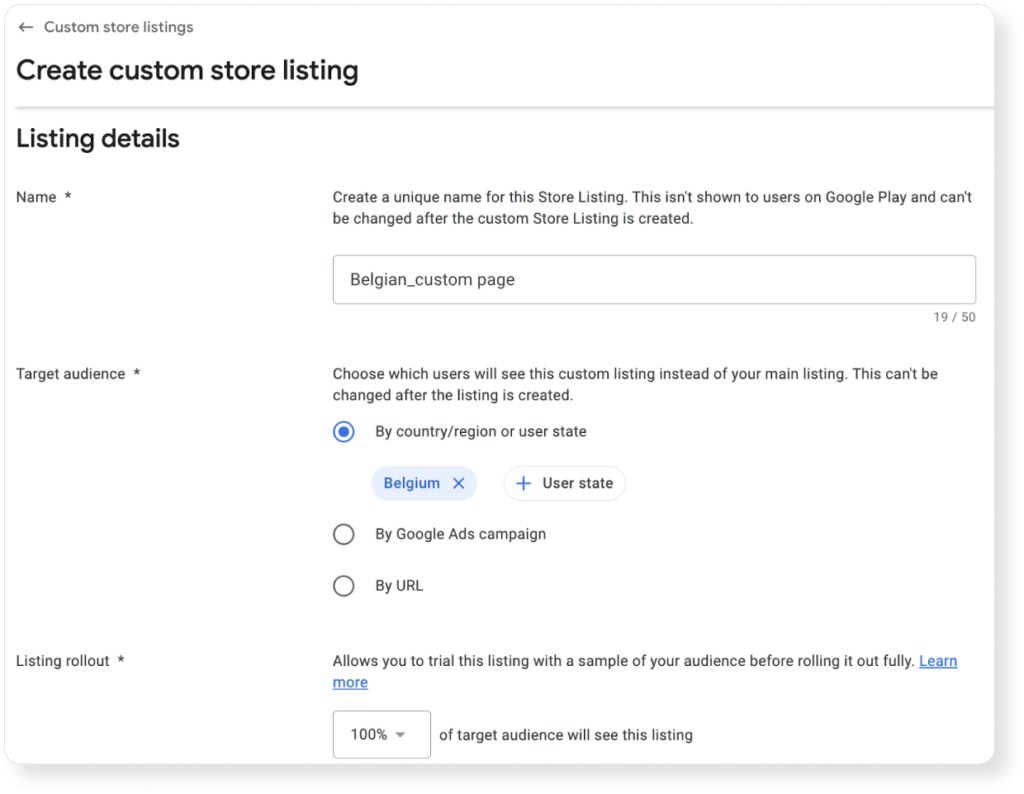
Custom store listings in Google Play set to a specific country or region are indexed by search algorithms. This is why I recommend considering popular search queries in the country for which you are creating a custom page. This will help improve indexing for target keywords and attract more installs.
When creating a custom store listing, select the “By country/region or user state” setting and add the desired country.
The graph below illustrates the improvement in app indexing for search queries on a project following consistent text optimization across three custom store listings.
The increase in page indexing was tracked using the ASO Comparative Report on Asodesk. This tool allows users to easily monitor the number of search queries their app is indexed for over any given period, as well as track changes in keyword rankings.
Tip #2: Create Custom Store Listings in Languages Not Supported by the Google Play Console
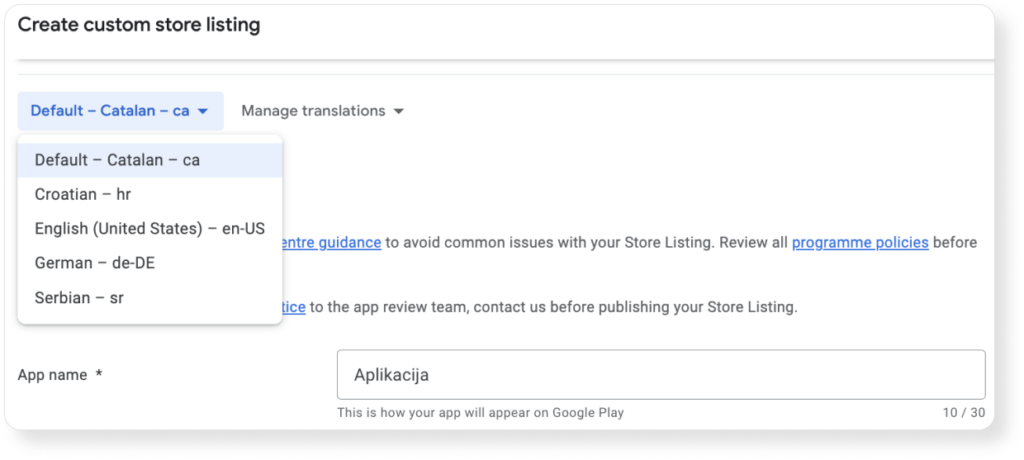
Sometimes, you may need to localize your app page in a language that isn’t supported by the Google Play Console. In such cases, you can use a custom store listing with a specific country setting to overcome this limitation.
For example, if you want to create a Bosnian-language page for users in Bosnia and Herzegovina, but Bosnian is not available in the console, you can choose a less commonly spoken language in the region, like Catalan, as the primary language. Then, create the page content in Bosnian.
This method ensures that Bosnian speakers will see the app page in their language, increasing the likelihood of downloads and improving pre-install conversion rates. Additionally, it’s important to include other languages spoken in the region, such as Croatian, Serbian, German, and English. Failing to do so may result in the page defaulting to the primary language (in this case, Bosnian), affecting the user experience for non-Bosnian speakers.
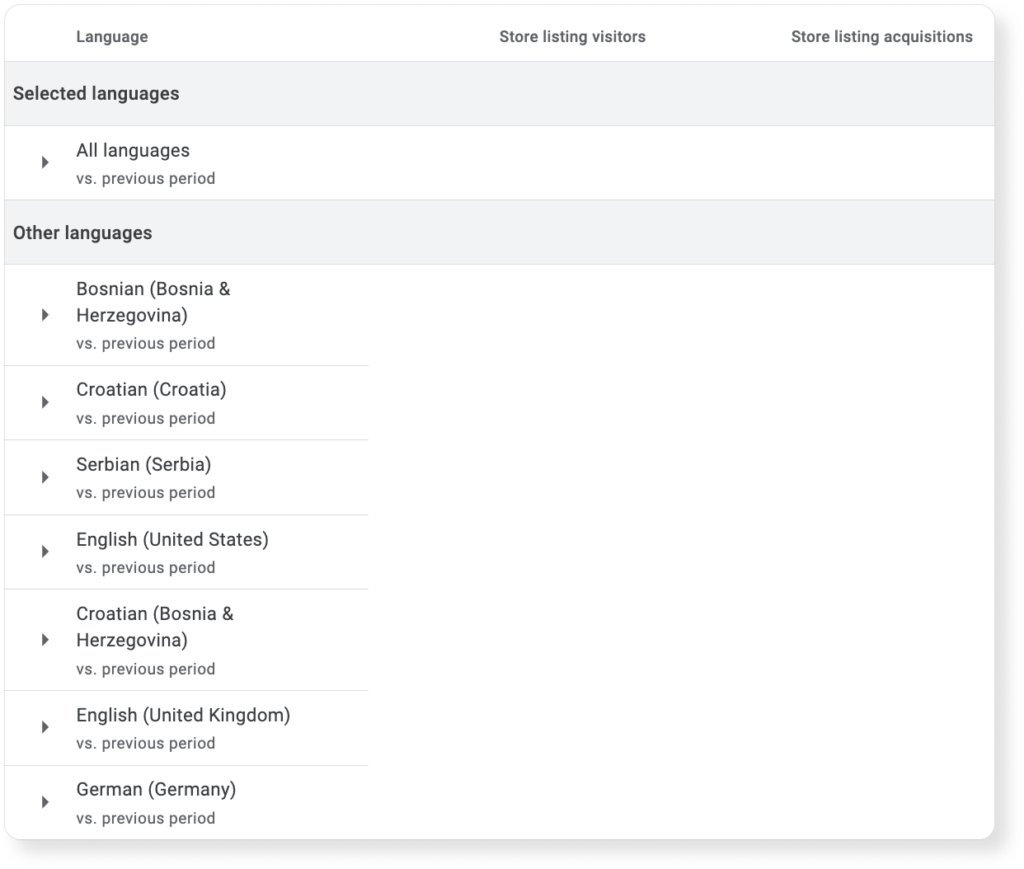
To determine which languages users prefer when installing your app in a target region, navigate to the “Store Listing Conversion Analysis” tab. Select the “By Language” option and filter the data by the specific country or region of interest.

This approach provides detailed insights into language preferences within a country, helping you not only configure the Custom Store Listing accurately but also optimize the app page for better user engagement and conversion.
Tip #3: Conduct A/B Testing in Low-Traffic Regions
In some cases, a large portion of an app’s revenue may come from highly competitive markets, such as the U.S., where traffic is limited. For example, if your app only generates around 100 installs per week in the U.S., it can be challenging to run a statistically significant A/B test within a reasonable timeframe. To overcome this, you can create a custom store listing and target regions with similar behavioral and linguistic traits.
For instance, you could create a store listing called “English-Speaking Countries” and target the U.S., U.K., Australia, and Canada. Similarly, for Hispanic regions, create a “Spanish-speaking countries” listing to reach a broader audience while conducting meaningful A/B tests.
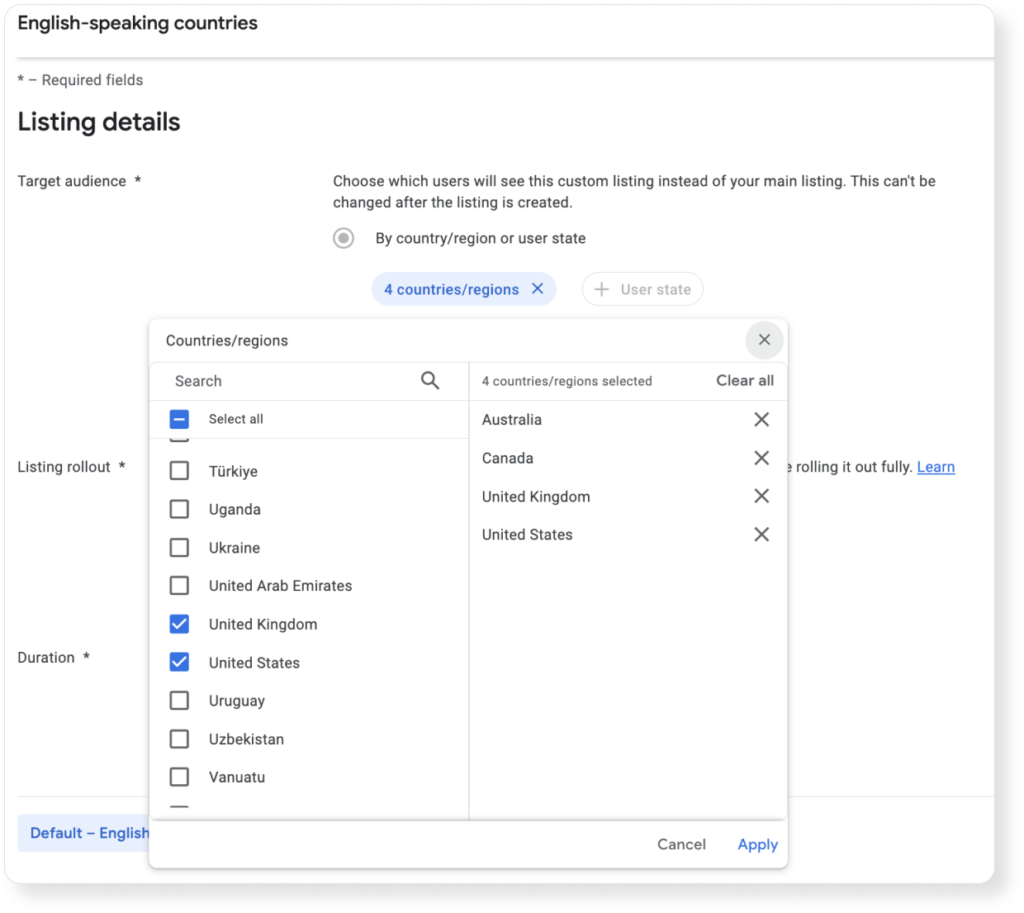
This method allows you to significantly increase traffic volume for A/B testing, leading to more reliable results. After a successful rollout to the full audience, it’s essential to track traffic trends in all regions, or at least in the primary regions where the custom store listing was targeted, to prevent any performance dips.
If you’re testing in multiple regions simultaneously, avoid using content tied to traditions that vary between countries. For example, Easter is celebrated differently in the U.K. and the U.S. If you apply the same Easter-themed schedule across all regions, your tests might show positive results overall, but conversion could drop after rolling out to one specific region.
Additionally, this approach is not ideal for promotions or bonuses that apply to one country but not another. To maximize the effectiveness of your tests, focus on broader hypotheses, such as testing different unique selling propositions or experimenting with screenshot gallery backgrounds.
Tip #4: Run Up to 255 Simultaneous Tests Across Multiple Regions Using Custom Store Listings
The Google Play Console allows only five tests with five localizations on the main app page at a time, which can present challenges. For instance, users in one country may speak multiple languages, and you may need to test across more than five regions simultaneously.
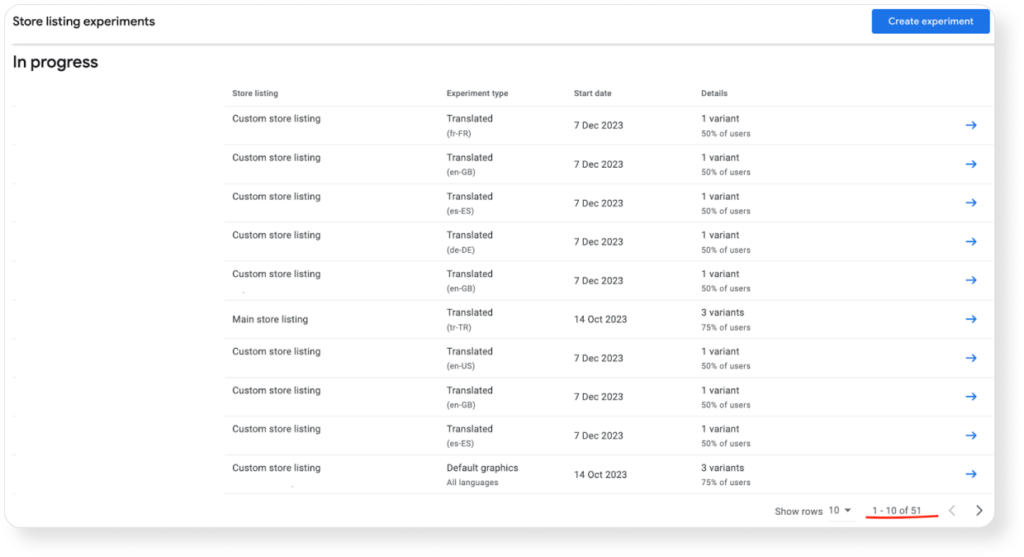
Custom store listings help overcome this limitation. By creating separate pages for each desired region, you can run tests specific to those areas. Each custom page allows for the inclusion of the necessary localizations and up to five A/B tests. This way, you can run as many as 255 tests simultaneously.
In the screenshot below, one project demonstrates running 51 A/B tests using custom store listings.
Tip #5: Run More Accurate Tests for Audiences Who Speak a Specific Language
Language preferences don’t always align with a single region. For example, running an A/B test on en-US for the main app page doesn’t necessarily reflect how U.S. users perceive it. Instead, it will show the reaction of users who have set their language to en-US, which may include people from diverse regions, such as India.
Unfortunately, A/B testing doesn’t allow you to select both the country and language simultaneously. To test a version of your app page for users in a specific country who speak a particular language, custom store listings can help.
For instance, if you want to focus on the UK and have enough installs for testing, follow these steps:
- Create a custom store listing with the country setting for the UK.
- Add the necessary localizations.
- Run the experiment with the language you want to test (e.g., en-GB).
- Focus the test on an English-speaking audience from the UK, allowing for more accurate insights.
- Use the insights gained to optimize graphics and improve conversions in the region.
This is just one of many features offered by custom store listings. The tool is continuously evolving, with recent updates including the ability to personalize store listings for specific Google Ads campaigns, enabling more precise conversion optimization. Another recent update allows testing for inactive users — those who have uninstalled the app or haven’t logged in for over 30 days. While experiments on such custom store listings are not yet possible, this functionality could be added in the future.
Thanks for the inspiration ASOdesk
